


DKS with control, insight and less work
Digitize DKS inspections, save time and manage quality with one mobile app that works automatically.
How the DKS app works
From room selection to reporting – all in one workflow. Click a step to see how it works.
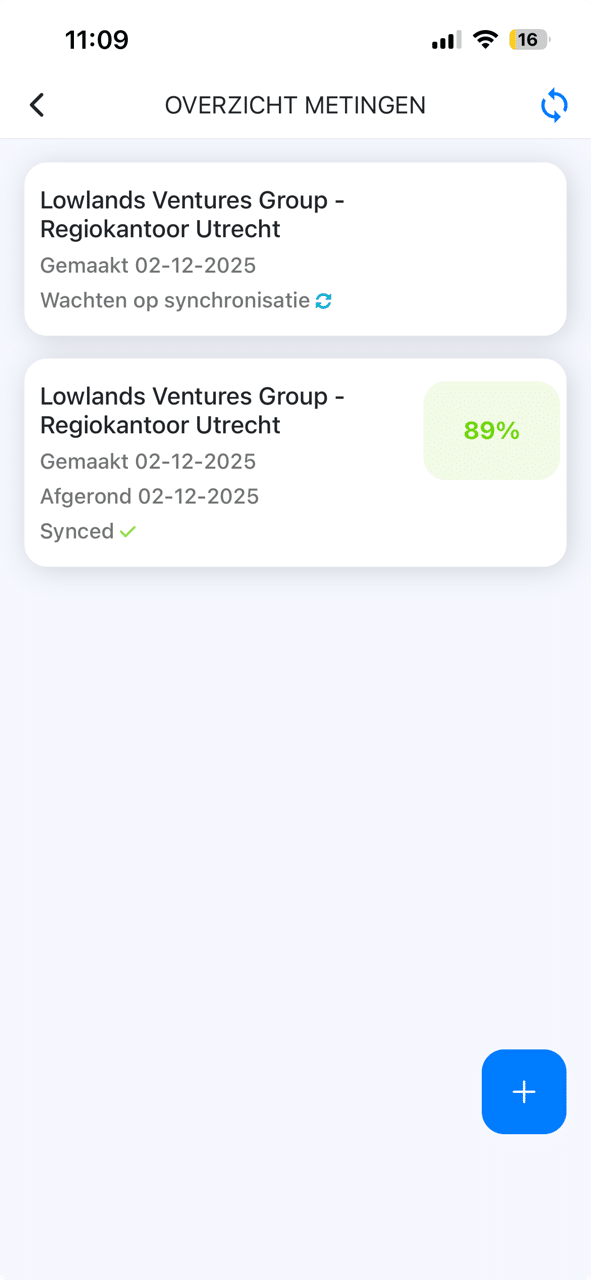
Measurements overview
See all completed and planned DKS measurements in one overview per location.
Select building and room
Quickly navigate to the right building and room to be inspected.
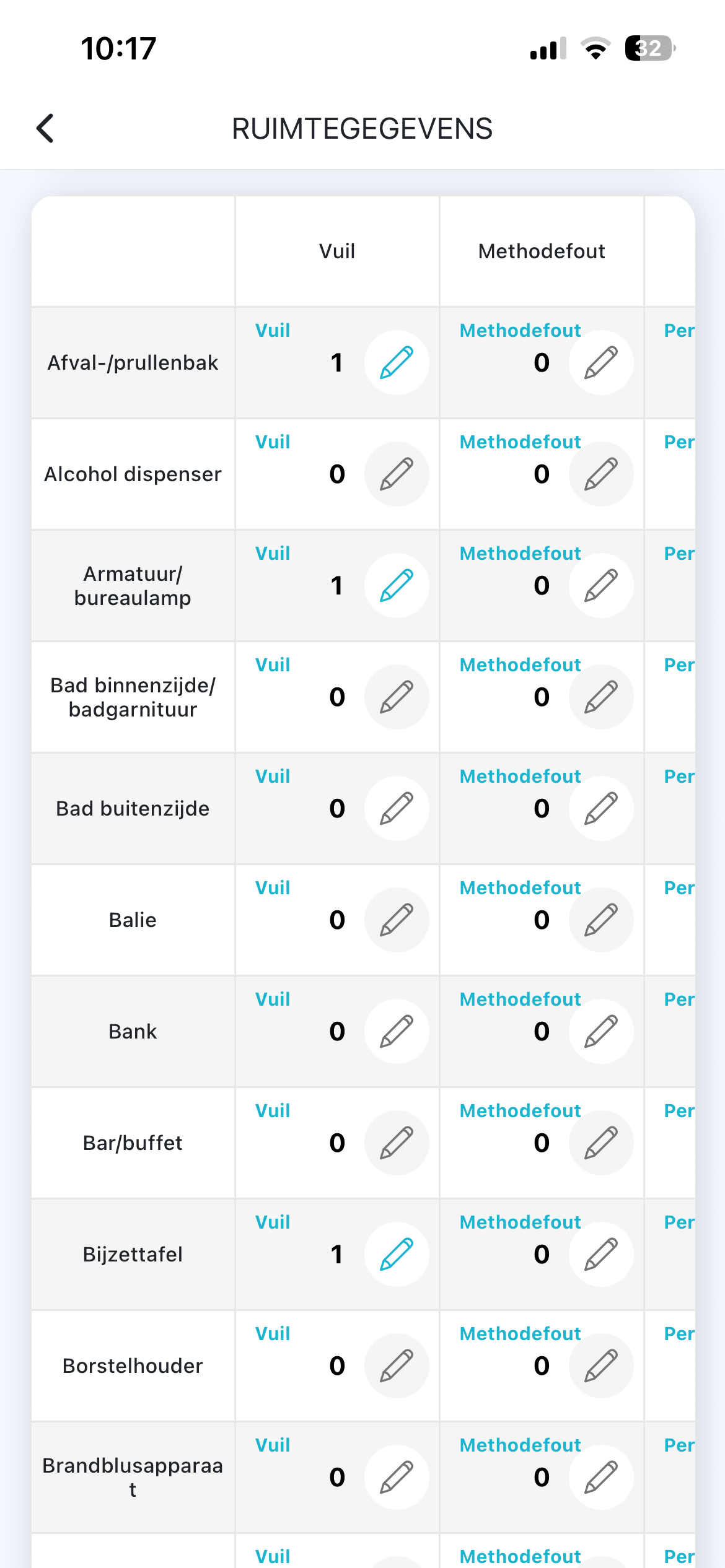
Inspect room
Go through checkpoints and register deviations directly in the app.
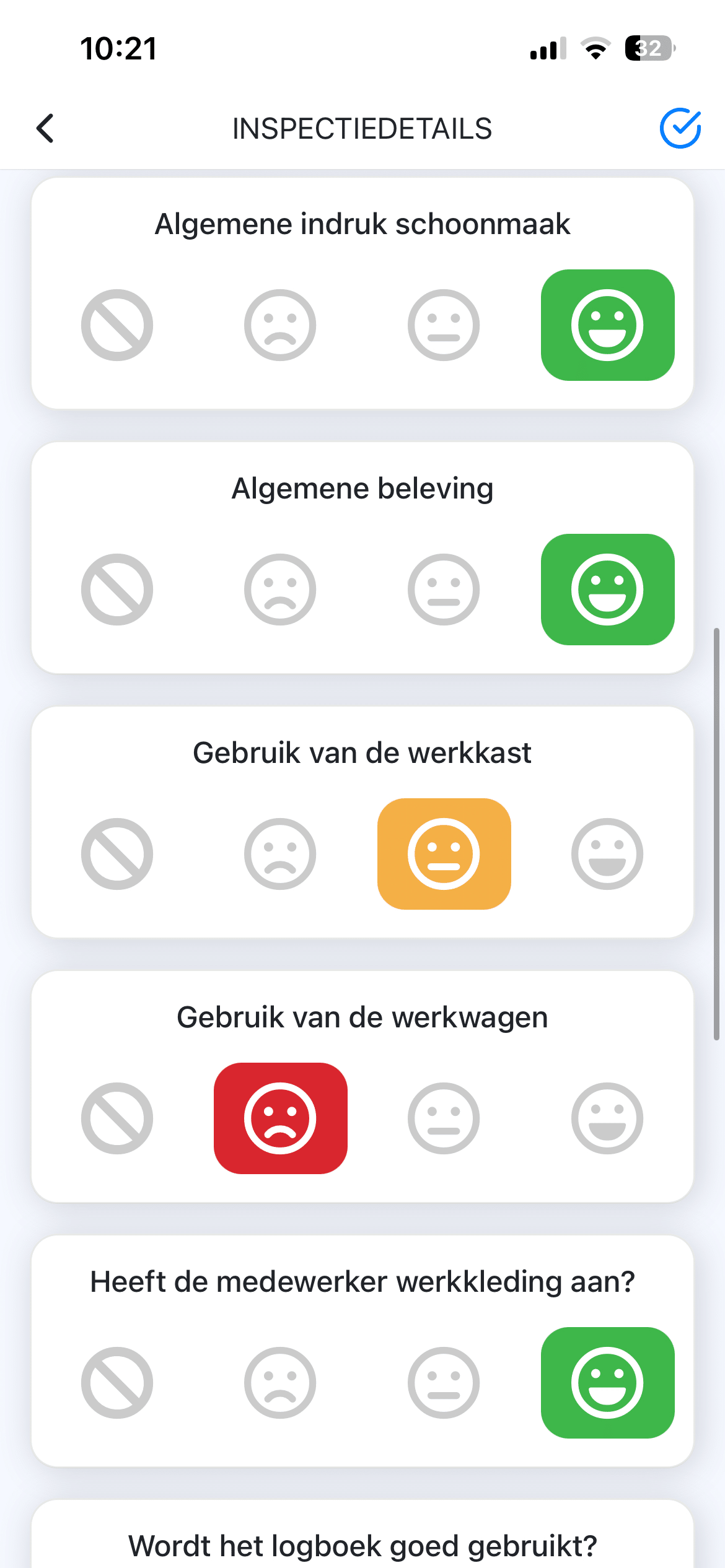
Control overview
See immediately which points are approved and which require attention.
General questions
Fill in standard quality criteria for complete assessments.
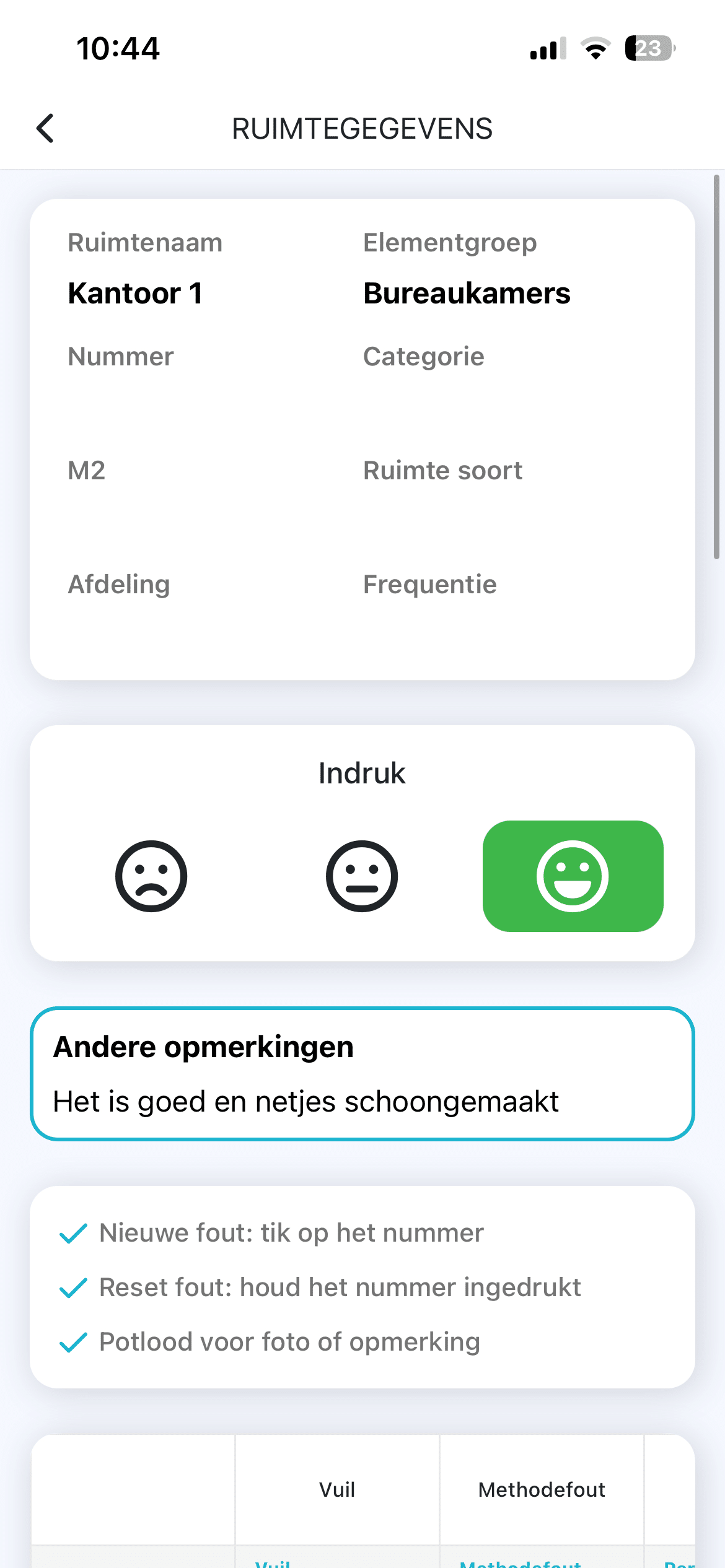
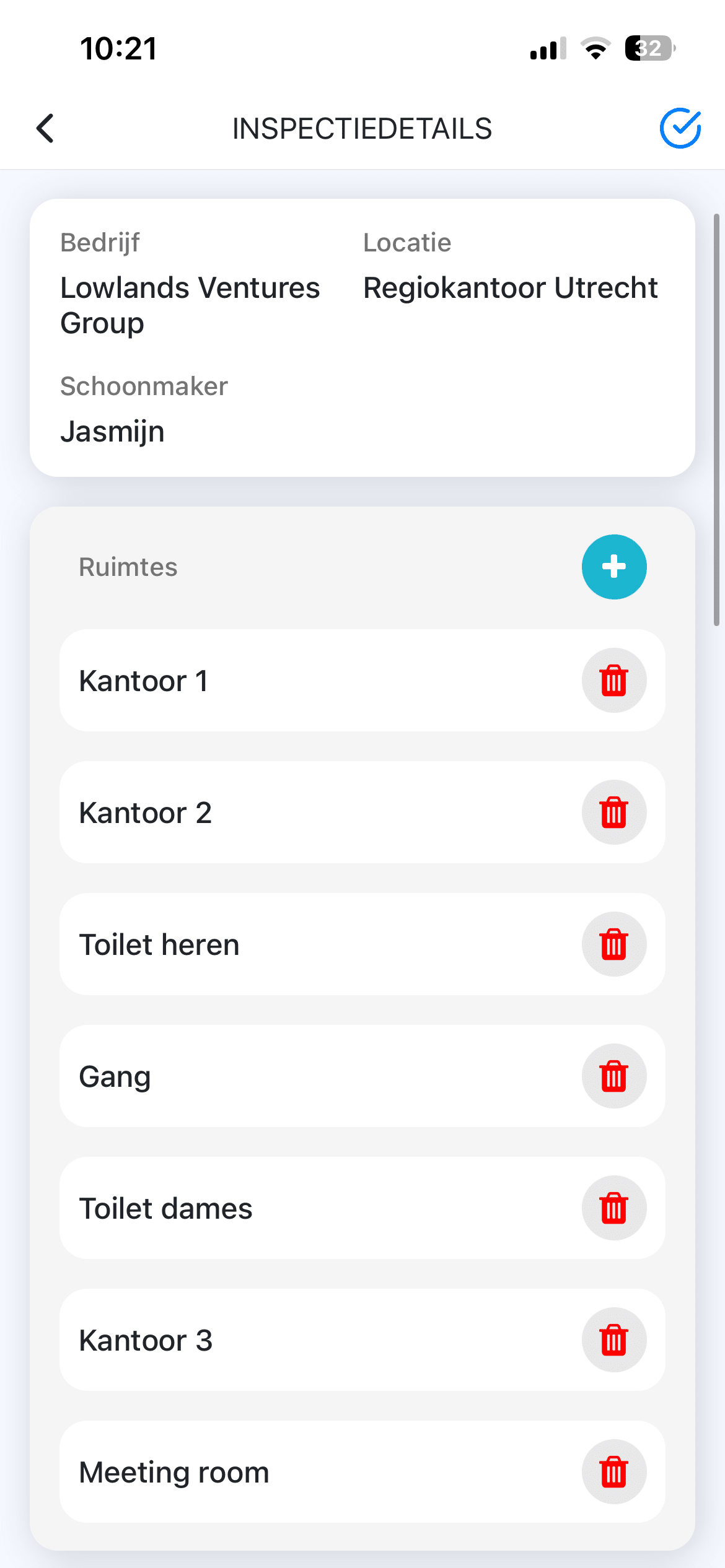
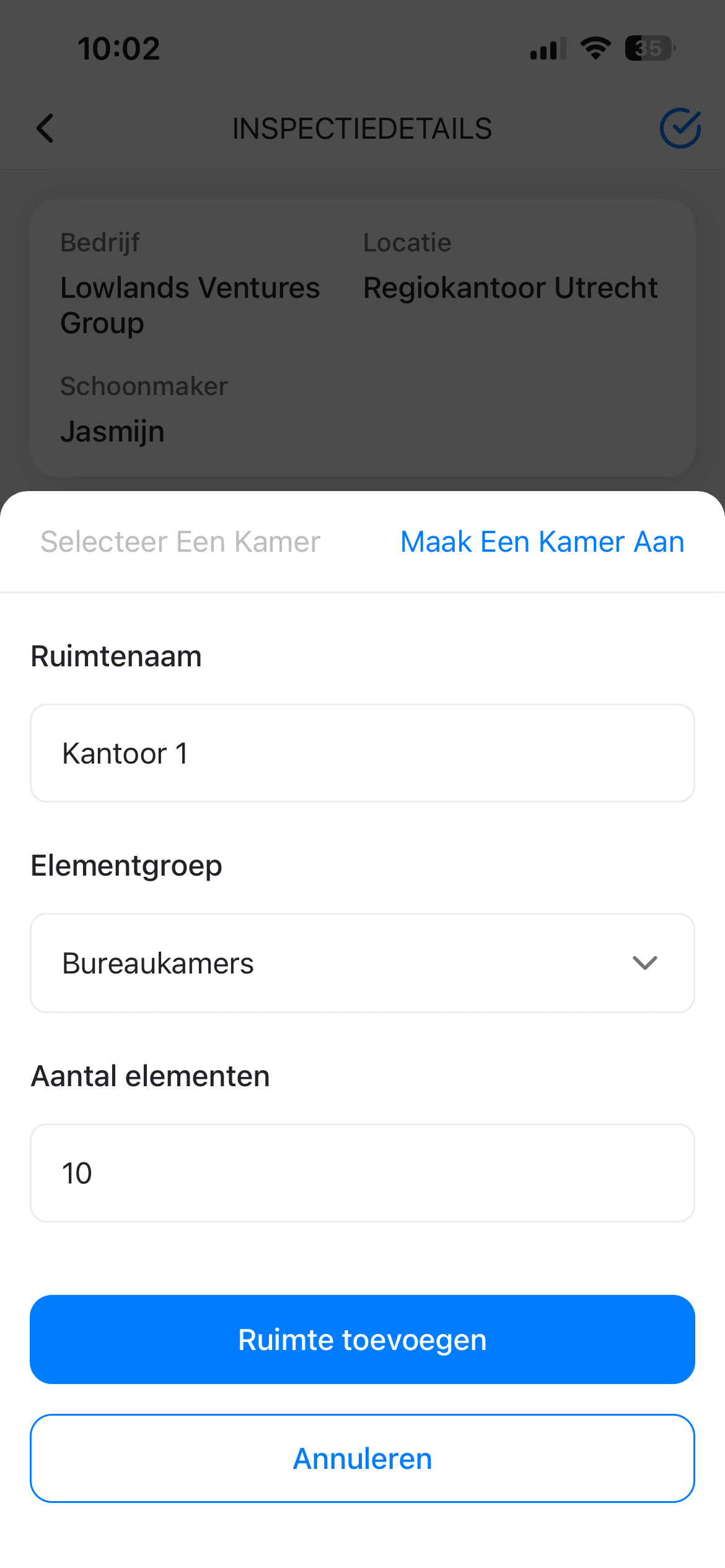
Create new room
Easily add new rooms with all characteristics for future measurements.
DKS Dashboard
Analyze DKS results, compare locations and generate reports from the central dashboard.
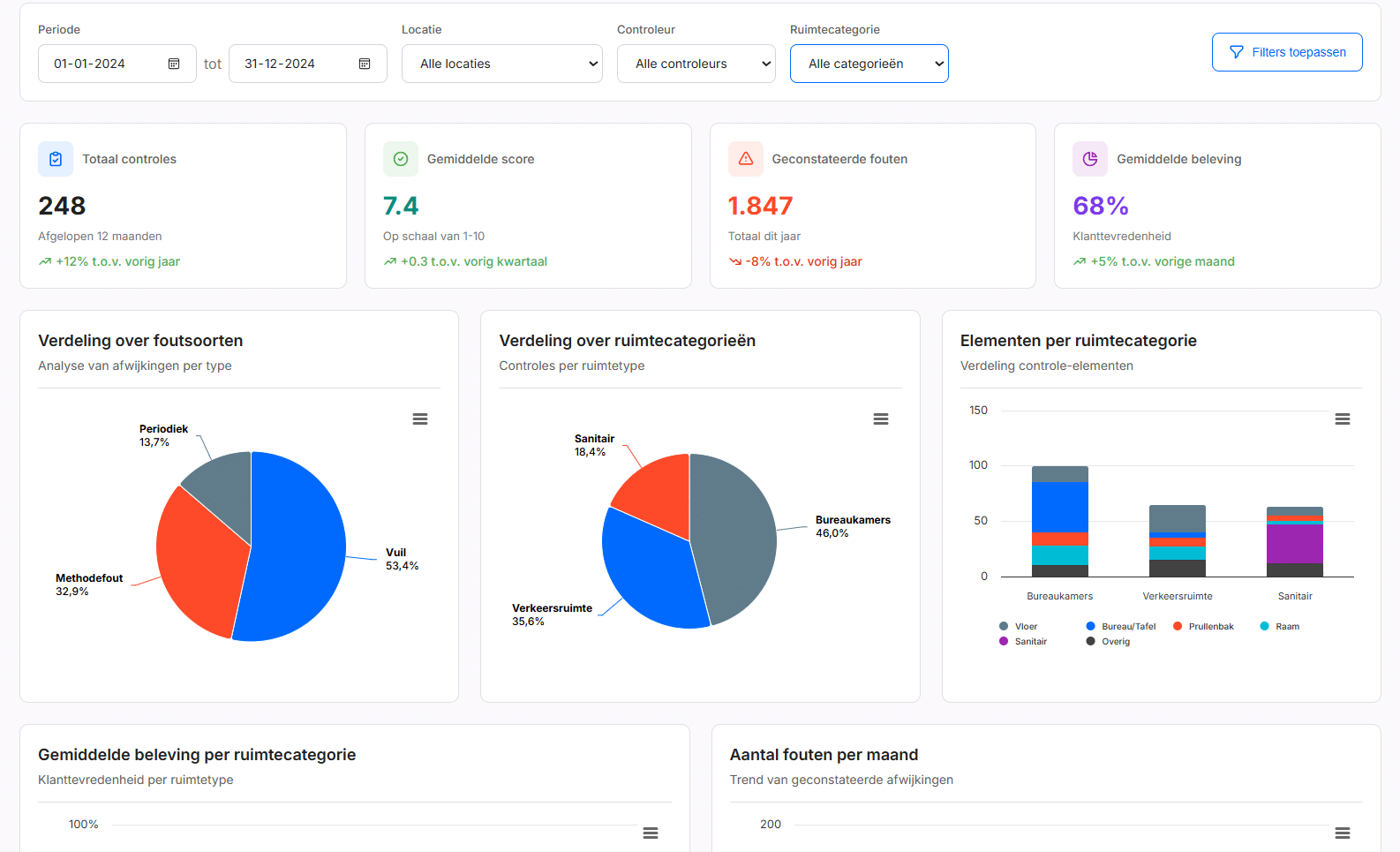
Dashboard overview
All measurements, scores and trends at a glance.
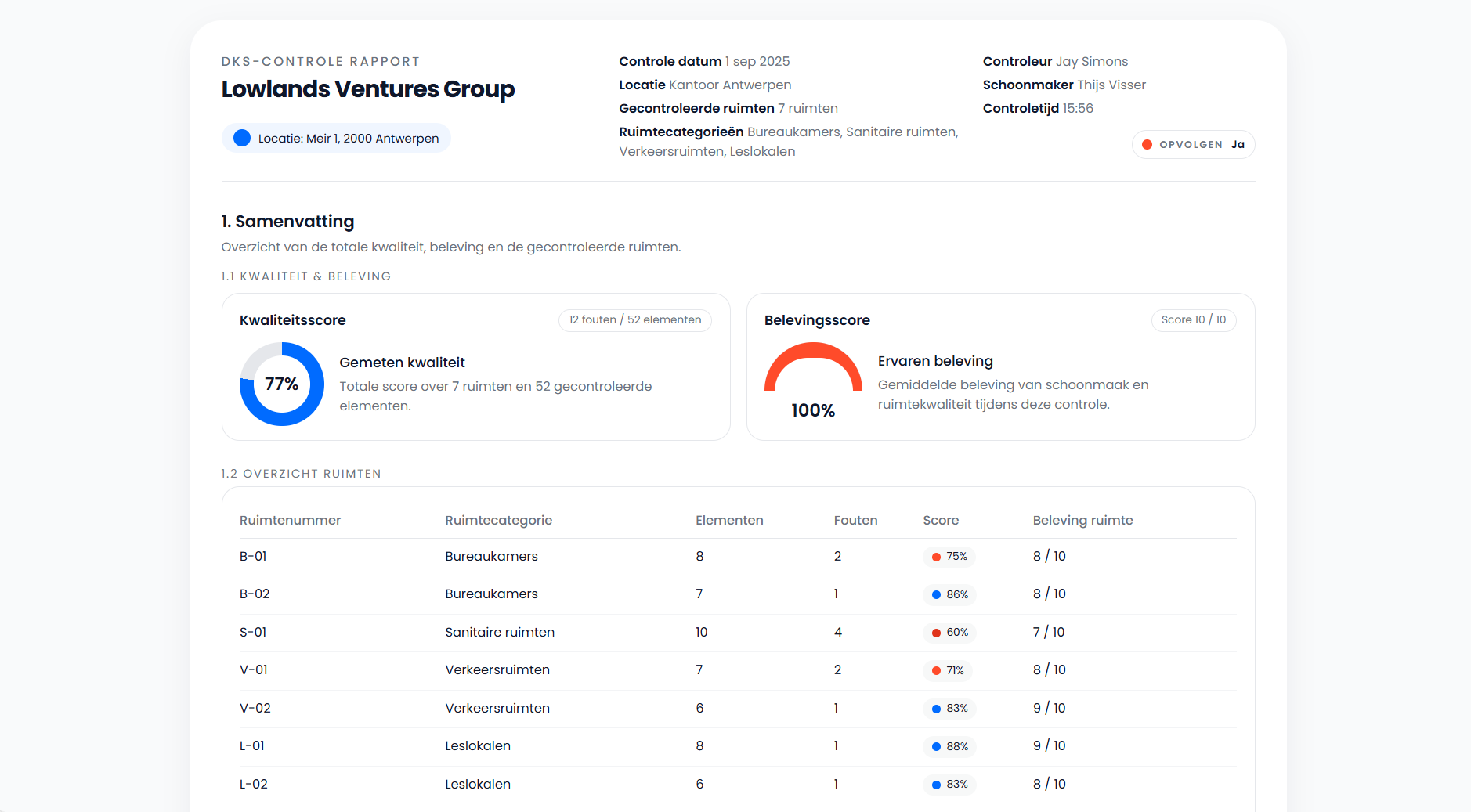
DKS Report
Professional reports with scores, trends and recommendations.
DKS: Daily measurement, continuous improvement
The DKS app not only records measurements, but also analyzes them. You see trends, deviations and improvement points directly in the dashboard.
Frequently asked questions about DKS
Inspectors enter measurements per room on their phone. Everything is saved directly and processed automatically.
Yes. Deviations are immediately flagged so you can see which points require attention.
GRIP analyzes all measurements over time. You see trends per building and quickly discover recurring problems.
Yes. Measurements can be performed offline. Synchronization happens automatically when connected.
Yes. You can take photos directly with the app for any deviation for clear documentation.
Ready for professional DKS inspections?
Discover how DKS takes your quality management to the next level.