


Measuring cleaning quality without debate
The VSR-KMS software measures cleaning quality according to the NEN 2075 standard. Objective, reproducible and certified by the VSR quality mark. The score is not an opinion, but a calculation.


How the VSR-KMS app works
From inventory to report — all in one workflow. Click a step to see how it works.
Synchronize
Synchronize the app with the dashboard to retrieve projects and rooms.
Select room via floor plan
Select the room to be inspected via an interactive floor plan.
Inspect room
Assess the room and see which elements need to be checked.
Enter element defects
Enter defects per element with a simple, intuitive interface.
Take photos for defects
Document defects with photos directly on location for clear reports.
Fill in checklist
Fill in the checklist with OK or Not OK and add comments.


VSR-KMS Dashboard
Analyze results, compare locations and generate reports from the central dashboard.
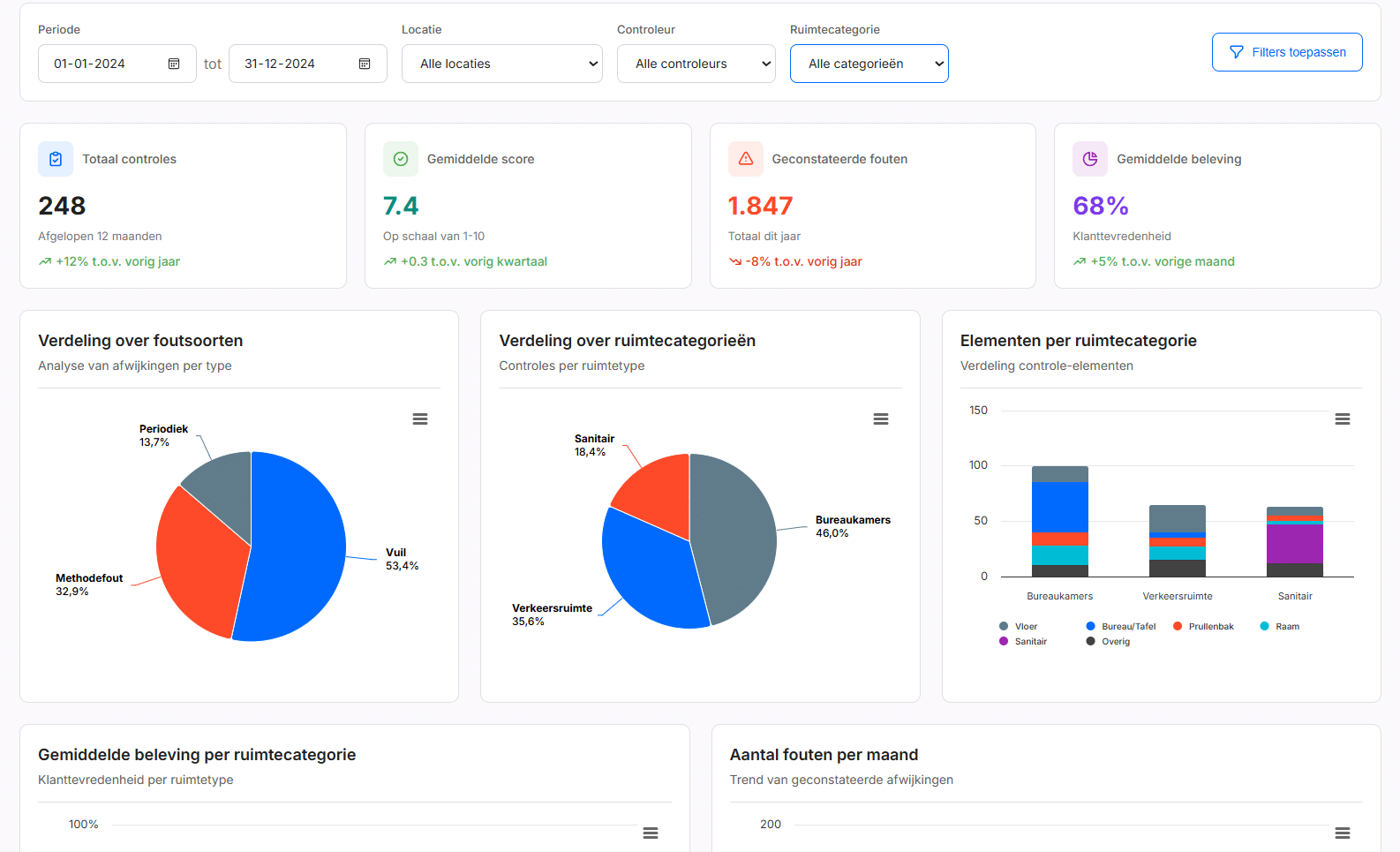
Dashboard overview
All measurements, scores and trends in an overview.

Start online check
Start a new check directly from the web portal.
VSR-KMS: Measuring according to the standard, analyzing for improvement
Our VSR-KMS software combines the convenience of a modern app with the depth of professional quality analysis.
Frequently asked questions about VSR-KMS
Yes. Our VSR-KMS software is certified by the VSR quality mark and meets all requirements of the NEN 2075 standard.
VSR-KMS measures according to the NEN 2075 standard with statistically based samples. DKS-KMS is a daily check method that is faster but less in-depth.
Yes. Reports are automatically generated with your logo, colors and layout.
Yes. Measurements can be performed completely offline. Synchronization happens automatically.
Yes. For every defect you can immediately take photos with the app. These are linked to the correct room and element.
Ready for professional quality measurements?
Discover how VSR-KMS takes your quality management to the next level.